< Blog HomeKollaborate Server 2026.2.1 Beta 1 - major player and annotation overhaul
Kollaborate Server 2026.2.1 Beta 1 was released today as a pre-release version of our self-hosted workflow platform.
New video player and image viewer
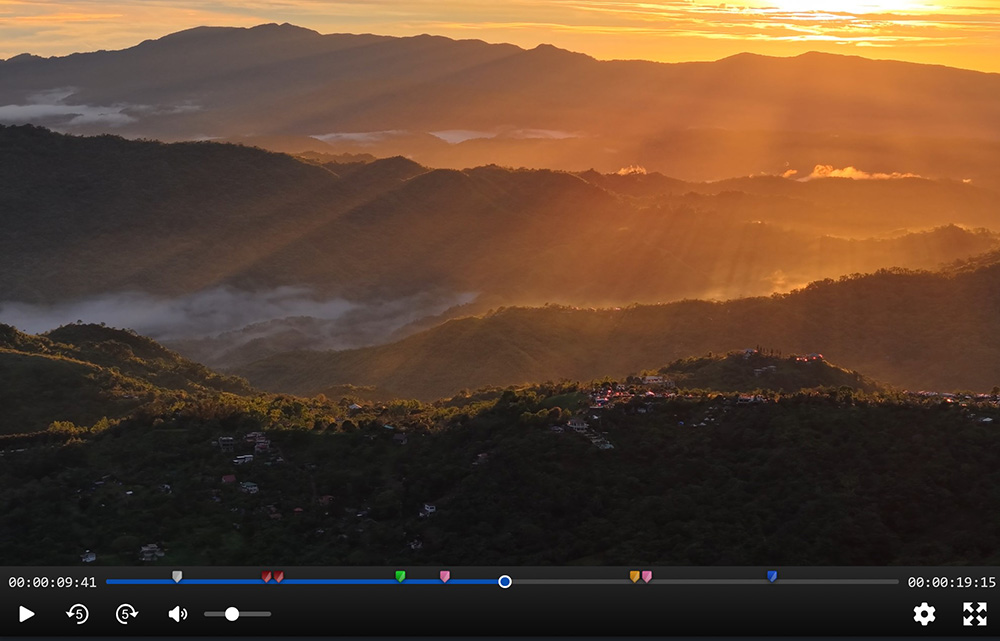
Our video player and image viewer have been completely rewritten from scratch. The new versions are considerably more powerful and easier to use. We’ve made lots of UI improvements and everything feels smoother, more polished and more intuitive.
New controls
There is now a button to skip forward 5 seconds, as well as new keyboard shortcuts comma and period for back and forward 5 secs, respectively.
The JKL keys function more like an NLE, with slow-mo support when holding K and J or L, as well as fast forward and rewind speeds up to 16x.
You can also change the playback speed separately without having to fast forward.
Switch between proxies and the original file
The new player allows switching between different file proxies, so you can now create multiple proxies and switch between them. It will also allow you to play back the original file (assuming it’s browser-playable) as long as you have download permissions for the file.
Better error handling
The new player is more resilient to playback or network issues. If something does go wrong, error messages are much clearer.
Accessibility
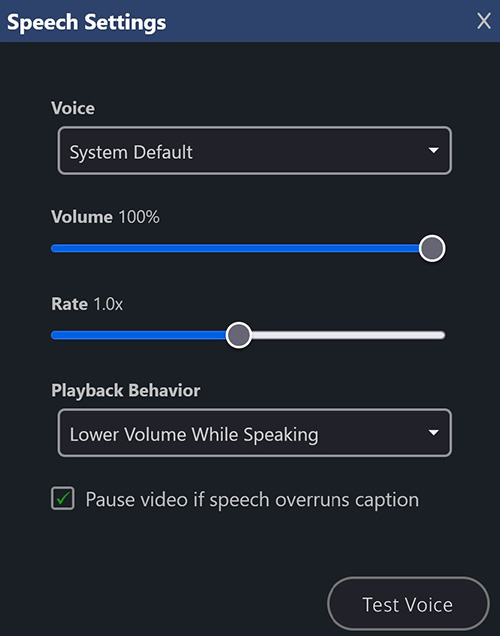
The new player has the ability to speak captions out loud. This allows you to bring in an audio description SRT and have Kollaborate speak it audibly as the video plays.
You can customize Kollaborate’s behavior when speaking captions, including automatically lowering the volume while the caption is spoken, or pausing playback completely. You can also set it to pause playback if the speech overruns the length of the caption and then resume again automatically.
Better mobile support
The player functions better on smaller screens and touch-only devices.
Overlays
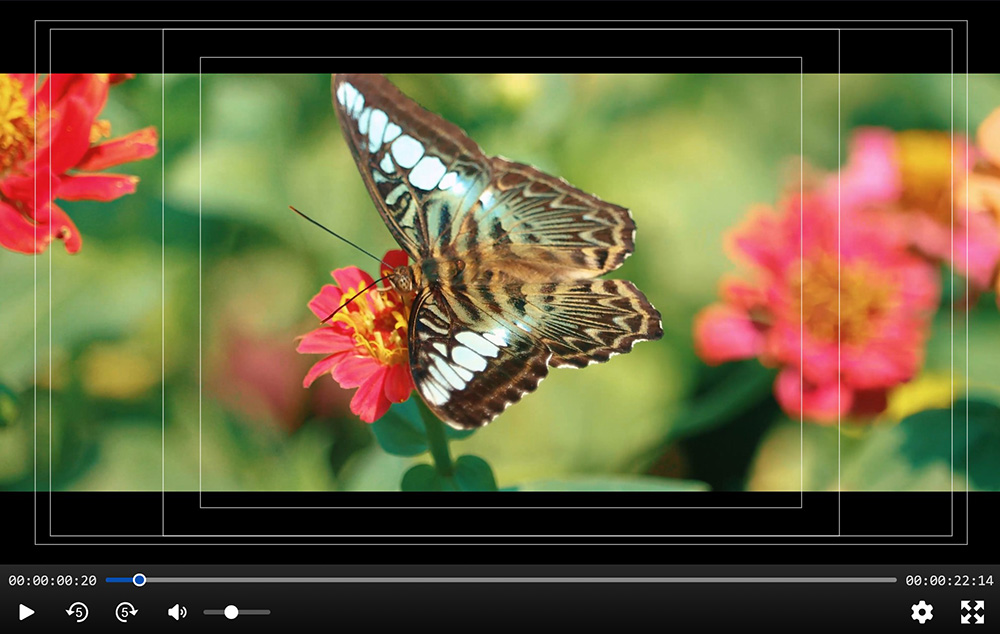
Our new player supports overlaying 4:3 and 16:9 safe areas, as well as various aspect ratio mattes.
Annotations
The biggest overhaul is to the annotation system.
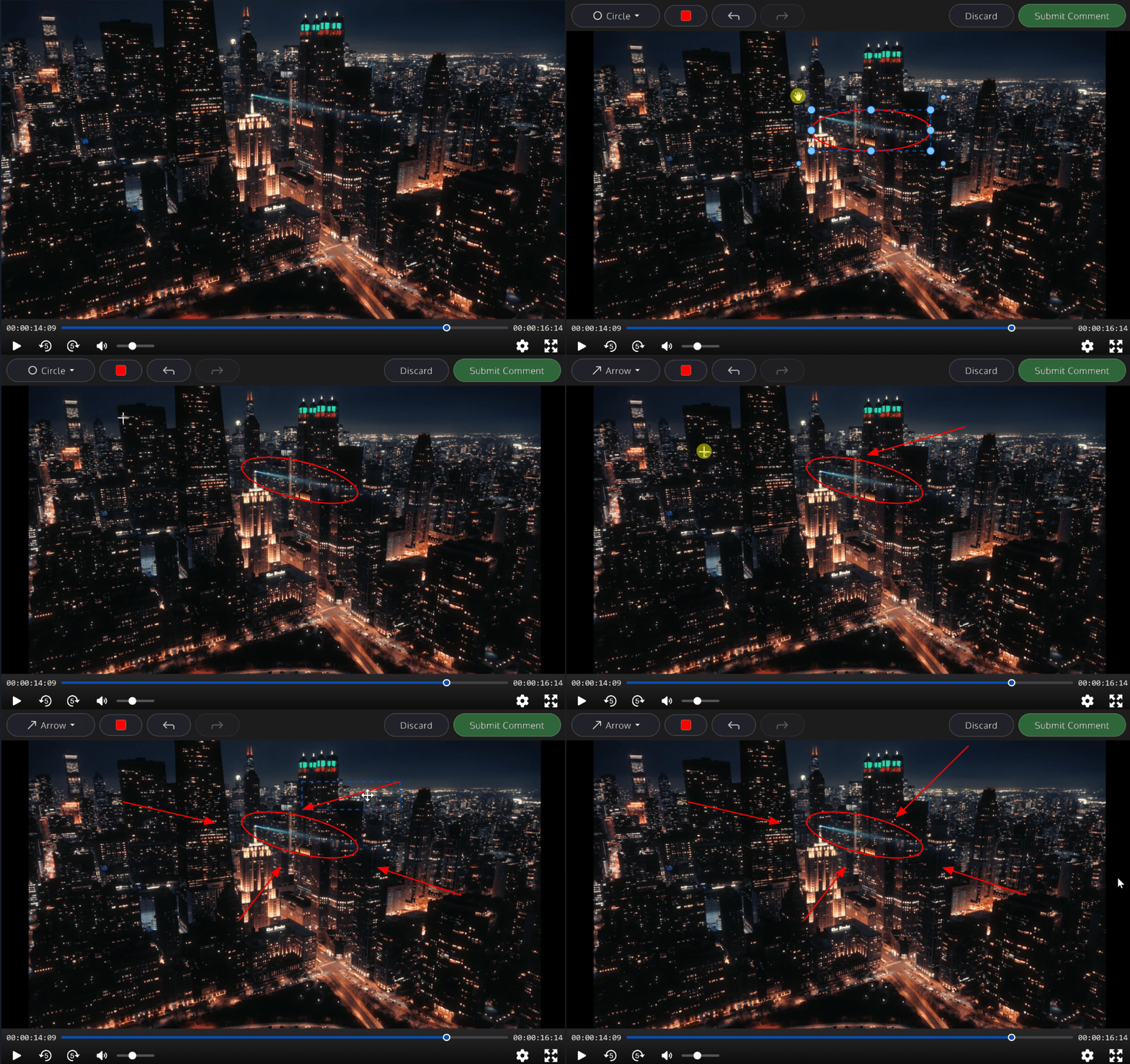
Instead of a basic drawing pen that can’t be edited, we now have multiple tools including boxes, circles and arrows. After drawing, the shape can be moved about, enlarged, rotated or deleted. There is also a text tool that allows you to write directly on the image.
Shape colors are now independent from the comment’s color and different shapes can have different colors. There is also undo and redo functionality.
Other changes
- New advanced search options: frame rate, orientation (portrait / landscape) and uploader
- The H.264 level is now shown in the Metadata tab of the player (for new uploads)
- The old and new backends now communicate and synchronize with each other, which fixes an issue where encoding jobs might not start after you set up the encoder
- Minor bug fixes and improvements
Because it's such a large change, we're releasing this update as a beta. Although it's been extensively tested, you should expect bugs in real-world usage. While we think the new player is a big step up in usability, we're interested in feedback on the new changes, especially for uncommon workflows.
Kollaborate is an essential cloud workflow platform that allows you to share files with clients and team members while integrating with Digital Rebellion apps and services. Kollaborate Server allows you to host the platform in-house on your own servers and storage. To find out more, see the Kollaborate Server overview or register for the free cloud trial (Server trials are available on request).
Posted by Jon Chappell on Apr 1 2026 to
DR News,
Kollaborate,
Front Page News 
 KollaborateCloud platform for pro video
 Pro Maintenance ToolsMaintain, optimize and troubleshoot your editing system
 Pro Media ToolsMedia and workflow management for video pros
 CinePlayProfessional video player
 Post HasteCreate projects from customizable templates
 Preference ManagerTrash, backup, lock and restore preferences for your video apps
 FCS RemoverUninstall Final Cut Studio and FCPX
 Cut Notes
 CinePlay
 Aspect Ratio Matte Generator
 Video Space Calculator
