"Cut Notes is a perfect example of how an iPad can supplement production & post production workflows."
Timecode-accurate note-taking
Cut Notes is an iPad note-taking app for post production professionals. Take notes on the fly using quick preset buttons, all synced to the timecode of your editing application. Used worldwide by studios and freelancers alike, Cut Notes allows you to focus on the cut instead of looking down to write.
Features
Timecode
Sync timecode from Kollaborate, Adobe Premiere Pro, Avid Media Composer / Symphony for Mac, Final Cut Pro X, Adobe Audition, Pro Tools and Final Cut Pro 6/7.
Note Keys
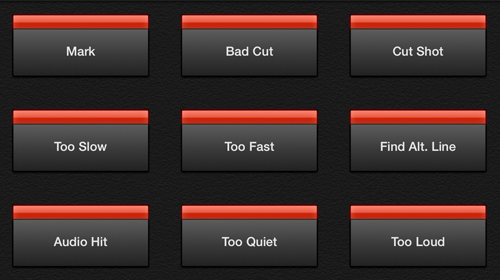
With a single tap of a notekey, the note is added instantly at the current timecode position. Create notekey sets for different tasks such as editing and mixing.
Manual Entry
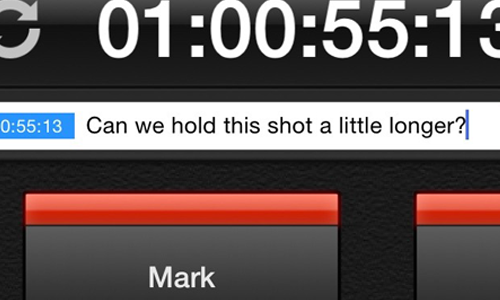
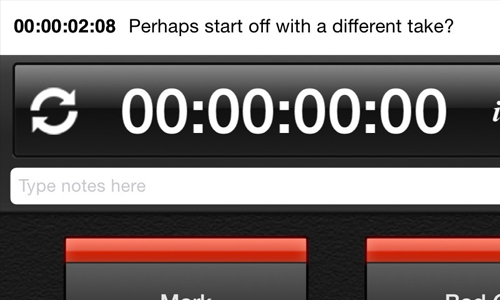
Create a custom note at any time with the text box above the notekeys. Cut Notes will insert the note at the moment you first began typing so there’s no need to rush.
Full Customization
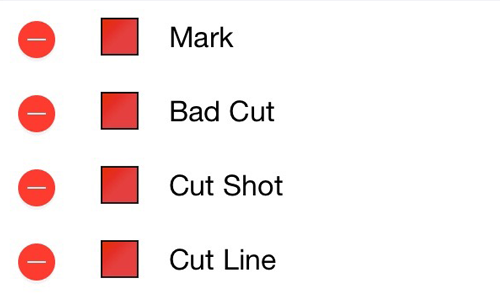
Change any notekey, create notekey sets and color code the keys.
Export
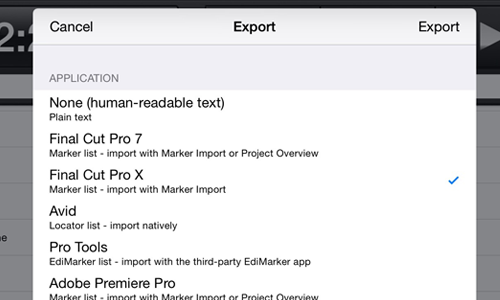
Cut Notes can export notes to Final Cut Pro 6/7, Final Cut Pro X, Avid Media Composer and Pro Tools (via the third-party application EdiMarker). Notes can be emailed, copied to the pasteboard, printed, uploaded to Dropbox or uploaded to Kollaborate. Importing a Marker List into Final Cut Pro or FCPX requires the free Cut Notes Marker Import utility for Mac OS X.
Cloud Sync
Make notes on your Kollaborate videos and sync them instantly to the cloud. Sync timecode directly from your web browser and remotely control playback. Take part in collaborative group note-taking sessions. Find out more at www.kollaborate.tv.
 Cut Notes
 CinePlay
 Aspect Ratio Matte Generator
 Video Space Calculator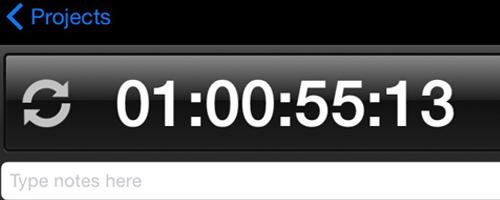
 KollaborateCloud platform for pro video
 Pro Maintenance ToolsMaintain, optimize and troubleshoot your editing system
 Pro Media ToolsMedia and workflow management for video pros
 CinePlayProfessional video player
 Post HasteCreate projects from customizable templates
 Preference ManagerTrash, backup, lock and restore preferences for your video apps
 FCS RemoverUninstall Final Cut Studio and FCPX