"Been trolling the net for two weeks, reading blogs etc to help solve the missing 'This Computer' issue, then hey presto found you. Instant fix. Big thank you."
-- Chris Edwards
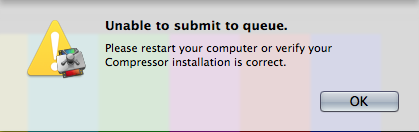
Compressor Repair checks for problems that could be preventing Compressor from operating correctly. It checks for missing files, incorrect permissions, an invalid hostname, and attempts to manually start the qmasterd process.
Features
Repair common problems
Compressor Repair can fix common problems that can prevent jobs from being submitted or general issues with queue reliability.
System Requirements
- macOS 10.9 or higher
- Compressor 3 or Compressor 4
Versions for older operating systems are available
here.
 KollaborateCloud platform for pro video
 Pro Maintenance ToolsMaintain, optimize and troubleshoot your editing system
 Pro Media ToolsMedia and workflow management for video pros
 CinePlayProfessional video player
 Post HasteCreate projects from customizable templates
 Preference ManagerTrash, backup, lock and restore preferences for your video apps
 FCS RemoverUninstall Final Cut Studio and FCPX
 Cut Notes
 CinePlay
 Aspect Ratio Matte Generator
 Video Space Calculator